
Article: Home Golf Simulator Setup Guide: Room, Enclosure & Launch Monitor

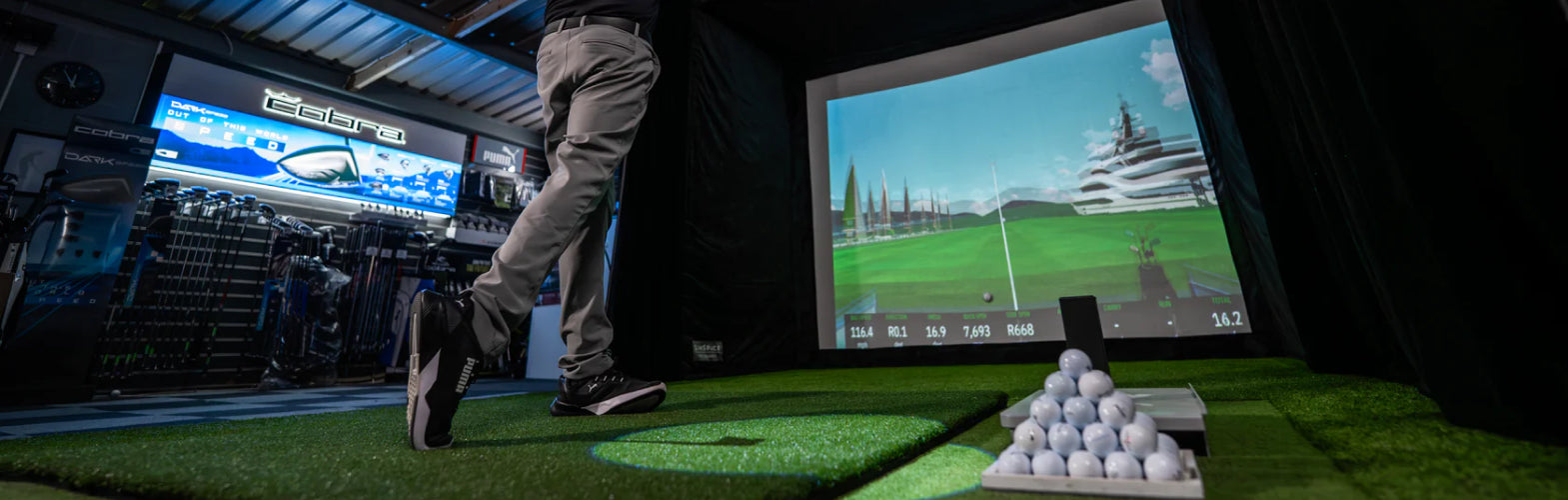
Home Golf Simulator Setup Guide: Room, Enclosure & Launch Monitor
A home golf simulator is one of the highest-return investments a serious golfer can make. No tee times. No weather windows. No range buckets. Just consistent, data-driven practice in a space that was built to your exact specifications.
But a simulator is only as good as the build behind it. The golfers who get the most out of their investment are the ones who planned the room, chose the right enclosure for their space, and matched their launch monitor to how they actually play. This guide covers every decision in the right order — so you arrive at a setup that performs the way you expect it to, year after year.
Why Serious Golfers Are Building Home Simulators in 2026
The home golf simulator market has matured significantly. What was once a novelty reserved for a handful of touring professionals and high-end club facilities is now the standard offseason training environment for any golfer who takes improvement seriously.
The case is straightforward: most golfers lose meaningful course time to weather, travel, and scheduling constraints for four to six months of the year. A home simulator eliminates all three variables at once. The swing does not go dormant. The handicap does not climb. And the data available from a modern launch monitor — ball speed, spin rate, launch angle, carry distance, club path — gives players insight into their ball-striking that a bucket of range balls never could.
For golfers at a serious investment level, the question is no longer whether to build. It is how to build it correctly.
The Four Components Every Home Golf Simulator Needs
A home golf simulator is a system, not a single product. Every component affects the others. Getting one wrong creates a chain of problems that compromise the entire setup. Here is what the build actually consists of, and what to look for in each.
1. The Enclosure
The enclosure is the structural frame that defines the hitting space, contains ball impact, and holds the screen. It is the foundation every other component is sized around, which is why it should be the first decision made — not the last.
For a dedicated permanent room, a purpose-built enclosure is the right choice. Side and top containment are built in, the projection surface is integrated, and there is no setup step before each session. The SIG series from Shop Indoor Golf has become the benchmark at this level: durable frame construction, commercial-grade screen material rated for ball speeds up to 250 mph, and three width configurations — SIG8, SIG10, and SIG12 — that map to different room sizes without compromise.
Choosing the wrong enclosure width for your room is the most common and most expensive mistake in a home simulator build. Too narrow and the backswing feels cramped. Too wide and the screen does not fill the visual field the way an immersive setup demands.
2. The Launch Monitor
The launch monitor is the technical heart of the simulator. It tracks the ball from impact and feeds that data to the simulation software. Every other component in the room serves this moment.
At the serious end of the market, two technology types dominate. Camera-based systems capture the ball at the precise moment of impact and excel in tight indoor spaces. Radar-based systems track the full ball flight and require more room depth — typically a minimum of 14 to 15 feet from the hitting position — to operate accurately. Choosing the wrong technology for your room dimensions is a source of persistent data inaccuracy that no amount of calibration fully corrects.
The launch monitor also determines which simulator software you can run, which courses you have access to, and whether club data — path, face angle, attack angle — is included or requires an upgrade. Confirm software compatibility before committing to any unit.
3. The Impact Screen
The impact screen does three jobs simultaneously: stopping golf balls at full swing speed, serving as the projection surface for the simulated course, and containing errant shots that miss center. A screen that underperforms at any of these three functions degrades the entire experience.
Screen material, tension, and mounting method all affect both safety and image quality. A drum-tight screen is not a safe screen — it becomes a rebound surface. Proper tension allows for genuine flex under impact while maintaining enough rigidity to hold the projected image flat. Bungee mounting at corners rather than rigid zip ties is the consistently preferred approach.
4. The Projector
The projector is matched to the screen, not the other way around. Throw ratio — the relationship between the projector's distance from the screen and the image width it produces — determines where the unit mounts and whether the image fills the screen correctly. A projector positioned incorrectly either clips at the edges or leaves black borders that immediately break immersion.
Short-throw projectors solve mounting challenges in rooms where the ceiling or frame geometry makes a standard throw distance impossible. Calculate throw distance before finalizing room layout — not after the enclosure is already built.
Golf Simulator Room Dimensions: The Numbers That Drive Every Decision
Room dimensions are not suggestions. Ceiling height, room depth, and room width each create hard limits on what equipment you can use and how you can use it. Before any money is spent, these three measurements need to be locked down with a tape measure — not estimated from memory.
Ceiling Height
Ceiling height is the single most important dimension in a home simulator build — and the one with the fewest workarounds. A minimum of 9 feet of clear ceiling height is required for most swing styles. Tall players, or anyone who takes a full driver swing, should target 10 feet to eliminate any subconscious alteration at the top of the backswing.
Low ceilings do not just create safety concerns. They alter swing mechanics over time. A space that feels usable at slow tempo becomes a source of tension the moment you try to swing freely with a driver. That tension transfers to the course in ways that are difficult to isolate and correct.
Room Depth
Depth determines which launch monitor technologies are available to you. Camera-based monitors work effectively from a few feet behind the hitting position — practical even in shorter rooms. Radar-based monitors require at least 14 to 15 feet of depth from hitting position to screen to track accurately. In rooms under that threshold, radar data degrades in ways no calibration setting can fully compensate for.
Additional depth also improves the projected image. Greater distance from projector to screen means more flexibility in projector selection and a sharper image at larger screen sizes.
Room Width
Width determines whether you can hit from a centered position or need to offset toward one wall. A minimum of 10 feet of clear width provides safe swing clearance for most golfers. Narrower rooms can work with offset hitting layouts, but this affects projector placement, software calibration, and the experience for left-handed players.
The SIG Series: Matched to Your Room
- SIG8 (8'4" W × 8'4" H × 13'7" D): Designed for dedicated rooms with tighter width constraints. The narrower frame maintains the same screen quality and structural integrity as the larger configurations. Ideal for focused training use in rooms where width is the primary constraint.
- SIG10 (approx. 10'10" W): The most versatile configuration in the lineup. Fits the majority of standard bonus rooms, finished basements, and single-car garage bays comfortably. The projection image fills the entire screen surface, and the frame accommodates standard ceiling heights of around 9 feet.
- SIG12: Engineered for larger dedicated spaces where maximum lateral clearance is the priority. The wider frame allows a fully centered hitting position for both right- and left-handed golfers without compromise, and produces an immersive projected image.
Each SIG enclosure is available as a complete studio bundle — with simulator flooring included — or as an enclosure-only configuration for golfers who are sourcing their launch monitor and projector separately.
Simulator Software: The Platform That Determines What You Play
The launch monitor measures your shot. The software determines what you do with it. These two decisions are more interconnected than most first-time buyers expect, and choosing a launch monitor without confirming its software compatibility is one of the most common planning oversights in a simulator build.
The leading software platforms in 2026 each serve a slightly different player profile:
- TGC 2019 (The Golf Club): Provides deep course simulation. Features a massive community-built course library that includes faithful recreations of courses worldwide. A key choice for golfers who want to replicate playing a real round indoors.
- E6 Connect: Features a clean interface, a strong licensed course selection, and broad compatibility across multiple launch monitors. This platform is widely used in both residential and commercial installations.
- GSPro: Well-regarded among data-focused players. Offers detailed putting physics and a growing course library, making it well-suited to golfers who use simulator sessions primarily for game improvement rather than casual play.
Subscription costs vary by platform and range from included (with some entry-level units) to $200 or more annually for premium platforms. Factor ongoing software costs into the total investment, not just upfront hardware.
What a Well-Configured Home Golf Simulator Actually Costs
A complete home golf simulator setup — enclosure, launch monitor, impact screen, projector, hitting mat, and software — spans a significant range depending on the components selected. Understanding what drives cost at each level helps set realistic expectations before the build begins.
- Entry-level builds ($3,000–$6,000): Typically includes a camera-based or entry radar launch monitor, a SIG8 or SIG10 enclosure, and a mid-range short-throw projector. Functional for practice and casual play. Data accuracy is solid at this level for ball metrics; club data may be limited or require upgrades.
- Mid-range builds ($6,000–$12,000): A higher-spec camera-based launch monitor with ball and club data, a SIG10 or SIG12 enclosure, a quality projector, and premium simulator flooring. This is often the practical range for serious recreational golfers who want reliable, year-round practice with reliable data feedback.
- Premium builds ($12,000–$25,000+): Professional-grade launch monitors at the top of the camera or radar category, custom enclosure configurations, high-brightness projectors, and integrated room finishes. Built for golfers who want confidence that every number the monitor produces translates directly to course performance.
At all three levels, the enclosure and launch monitor are where the investment has the most direct impact on performance. Compromising on either to stay under a budget number is a common cause of setups that disappoint.
Planning the Room: Layout Decisions That Are Easier to Make Before You Build
The physical layout of a home golf simulator room has consequences that are difficult and expensive to undo after installation. A few decisions made during the planning phase prevent the majority of problems that come up after the build is complete.
Projector placement comes first
Calculate throw distance and projector mounting position before finalizing the enclosure location in the room. A projector that cannot achieve the correct throw distance for the screen size produces an image that cannot be corrected by software adjustment alone.
Do a physical swing test before buying anything
Stand in the intended hitting location and take a full driver swing. Mark the highest point of the arc on the ceiling with tape. There should be at least 6 to 9 inches of margin above that point before factoring in the enclosure frame height. If the margin is not there, the room needs a different hitting position or a different configuration.
Side clearance matters for containment
Allow 2 to 3 inches of clearance between the enclosure frame and each side wall. The critical gap is 12 to 16 inches between the back of the impact screen and the back wall — this space absorbs ball energy on off-center shots and protects the wall surface from impact damage over time.
Lighting and ambient conditions affect projection quality
A room with windows or significant ambient light will wash out a standard projector image. Blackout shading on any natural light sources and dark wall finishes behind the simulator screen are the two changes with the most immediate impact on image quality.
The Home Simulator as Part of a Larger Entertainment Space
For many buyers, the golf simulator is one component of a larger dedicated entertainment room — one that also includes a wine storage solution, a draft beer setup, and purpose-built seating between the bar and the hitting bay. When this is the goal, the layout decision becomes a sequencing decision.
Refrigeration units — wine coolers and kegerators — define the bar footprint and cabinet run first. Once those dimensions are fixed, the remaining room depth and width determine which enclosure configuration fits correctly. Planning the bar and wine storage first, then fitting the simulator to the remaining space, prevents the most common layout conflicts and ensures every component has the clearance it needs to perform correctly.
The result is a room where the bar and wine storage greet guests at the entrance, and the simulator occupies the far end of the space — visible from the bar, separated enough to function as its own environment, and used far more consistently than any dedicated room with a single purpose.
High Time Home Golf Simulator Collection
Every golf simulator product in the High Time Home lineup was selected for the same reason: it performs at the level a serious home build demands. The SIG series enclosures are the standard at this level — structural frame integrity, commercial-grade screen material, and three width configurations that fit the range of real-world room dimensions without compromise.
Studio bundles are available with flooring included for buyers who want a complete hitting surface from day one. Enclosure-only configurations are available for buyers who are sourcing their launch monitor and projector separately or upgrading an existing setup.
Free freight shipping on eligible orders means the enclosure arrives intact and on schedule. Warranty coverage on key structural components means the investment is protected. And direct support is available when questions come up — before the build, during installation, or after the room is complete.
Frequently Asked Questions
What is the minimum ceiling height for a home golf simulator?
9 feet is the practical minimum for most swing styles. Tall players or anyone who takes a full driver swing should target 10 feet of clear ceiling height to avoid subconscious swing alterations at the top of the backswing. Ceiling height is the one dimension in a golf simulator room with no reliable workaround — it is the constraint to verify first.
What room depth do I need for a home golf simulator?
A minimum of 12 to 15 feet of depth from the hitting position to the screen is required for most setups. Radar-based launch monitors need at least 14 to 15 feet to track ball flight accurately. Camera-based systems are more forgiving and can function in shorter rooms. Room depth also affects projector placement and image quality — more depth gives you more flexibility in both.
Which SIG enclosure is right for my room?
Start with your room width. The SIG8 suits rooms with tighter width constraints — typically under 11 feet of usable width. The SIG10 fits most standard bonus rooms, finished basements, and single garage bays and is the most commonly specified configuration. The SIG12 is designed for larger dedicated spaces where maximum lateral clearance and a fully centered hitting position for both left- and right-handed players is the priority.
Do I need a dedicated room or can a golf simulator work in a multi-use space?
A permanent enclosure in a dedicated room is the better performing setup — no assembly before each session, better containment, and a more immersive projection environment. Multi-use rooms can work with retractable screen systems, but the setup and teardown step reduces how often the simulator actually gets used. For serious golfers who intend to practice consistently, a dedicated space always produces better results.
What launch monitor do I need for a home golf simulator?
The right launch monitor depends on your room depth, your budget, and the software platforms you want to run. Camera-based systems work well in tighter rooms and deliver precise indoor data. Radar-based systems require more depth but track the full ball flight. At the serious investment level, any launch monitor you consider should provide both ball data (speed, launch angle, spin) and club data (path, face angle, attack angle) — club data is what gives players the actionable insight that drives real improvement.
Can a home golf simulator improve my handicap?
Yes, and for mid-to-high handicap players, arguably more so than for low-handicap players. The volume of repetition a home simulator enables — hundreds of shots in a single session without a tee time, weather window, or range bucket limit — accelerates improvement faster than course play alone. The data a quality launch monitor provides on ball speed, launch angle, and spin gives players diagnostic insight into their misses that is simply not available from a bucket of range balls.
Is a golf simulator a good investment for a luxury home?
A well-built home golf simulator is among the highest-return room investments in a luxury property. It converts otherwise underused space — a spare room, a finished basement bay, a garage — into the most frequently occupied room in the house. For serious golfers, it eliminates the single biggest obstacle to consistent practice: access. And as a feature of a larger entertainment room, it anchors the space in a way that no single piece of furniture or equipment can replicate.